
How do I customize event tickets and ensure efficient sales at festivals?
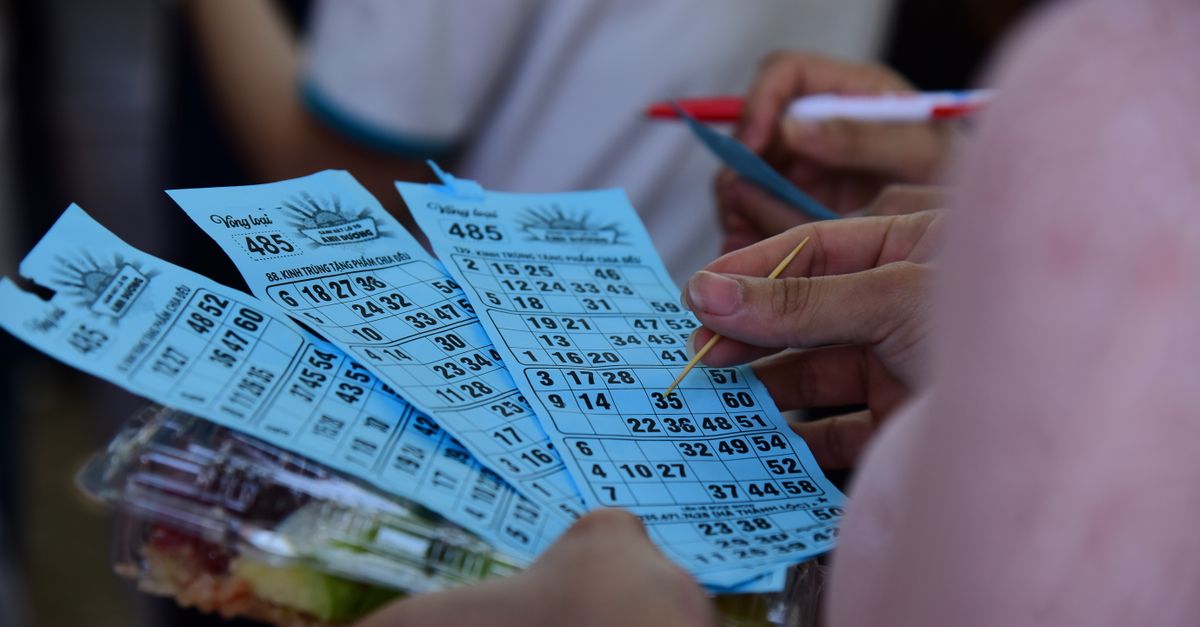
If you’re planning a festival or large event, the ticketing system you choose will dictate your revenue flow, attendee experience, and operational overhead. A well‑designed solution can turn a chaotic day into a smooth, profitable operation.
Understanding the Core Requirements of Festival Ticketing
Before selecting software, map out what the event truly needs. Festivals differ from concerts or conferences in scale, security demands, and audience expectations. Key requirements include:
- Capacity management for multiple stages or venues with real‑time availability.
- Dynamic pricing tiers—early bird, VIP, group—with automated discounts.
- Real‑time inventory updates to prevent overselling during flash sales.
- Multi‑channel sales: website, mobile app, kiosks, and third‑party resellers.
- Compliance with local ticketing regulations and data privacy laws such as GDPR or CCPA.
A clear list prevents costly mid‑project scope changes. For example, forgetting “multi‑stage capacity” early on forces a retrofit that inflates time and budget.
Choosing a Platform Architecture for Scalability
Your festival may attract thousands or hundreds of thousands. The underlying architecture determines how well the system scales under peak demand.
- Monolithic: Simple to develop but hard to scale horizontally; suitable for very small events with predictable traffic.
- Microservices: Isolated services for tickets, payments, notifications; easier to scale specific components. Allocate more resources to payment during a pre‑sale surge while keeping the rest lightweight.
- Serverless: Pay only for execution; automatically handles traffic spikes. Works well when ticket sales are highly intermittent, such as a weekend pop‑up festival with peak demand at specific times.
A microservice setup is effective when sales spike in the last 48 hours before opening. Serverless can be cost‑effective for smaller events but watch cold‑start latency during checkout.
Implementing Mobile Ticket Sales and QR Code Integration
Attendees expect instant, contactless entry. A mobile‑first design reduces queue times and improves data accuracy.
- Responsive checkout or native app with push notifications confirming purchase status.
- One‑tap QR code generation stored in the device’s wallet for quick gate scanning.
- Offline ticket validation that verifies a pre‑downloaded hash when connectivity returns.
- Real‑time seat assignment via map overlays that update instantly when a seat is claimed.
- In‑app chat support with automated FAQs to reduce help desk load.
I once integrated a QR system at a 15,000‑person festival; the entry line shrank by 40% compared to the previous year.
Event Ticket Customization Options
Customization turns a generic ticket into a branded experience, increasing perceived value and encouraging early sales.
- Branded artwork or sponsor logos on tickets, printed or displayed digitally on QR codes.
- Personalized name tags for VIP guests with photo and special access badge.
- Custom QR code patterns that match event themes, giving attendees a collectible design.
- Bundled add‑ons (merch, food vouchers) embedded in the ticket price, clearly indicated on the ticket.
- Dynamic barcodes encoding attendee tier and seat number for quick validation by staff.
The right mix depends on budget, marketing strategy, and supply chain. Partnering with a local print shop can reduce per‑ticket costs while maintaining high quality.
Integrating Payment Gateways and Fraud Prevention
Secure, flexible payment options increase conversion rates while fraud detection protects revenue.
- Multiple gateways (Stripe, PayPal, local processors) for regional preferences.
- PCI‑DSS compliance and tokenization; consider 3D Secure for added authentication.
- Real‑time fraud scoring services that flag high‑risk transactions before authorization.
- Geo‑location checks to block suspicious regions when selling internationally.
- Refund management workflows with automated email triggers to keep attendees informed.
Offering a “pay later” option via Klarna reduced cart abandonment by 15% at a mid‑size festival. A frictionless payment flow can be the difference between a sold seat and an abandoned cart.
Optimizing for Speed: Efficient Ticketing System Performance Tactics
A sluggish checkout leads to lost sales. Below are tactics that keep the system snappy even under heavy load.
- Caching popular event pages and ticket inventory with CDN edge caching, reducing latency worldwide.
- Asynchronous payment processing; use a job queue for downstream tasks.
- Database read replicas for high‑volume queries, keeping the master free for writes during peak sales.
- Load testing up to 10× expected peak to identify bottlenecks before launch.
- Graceful degradation: fallback static pages if backend services fail, preserving a basic purchase path.
Data Analytics and Reporting for Revenue Optimization
Insightful data turns raw sales numbers into actionable strategies. Track metrics that influence pricing, marketing, and operations.
- Total ticket sales vs. target per stage or day to spot underperformance early.
- Conversion rate from visitor to purchaser on each channel; a low mobile conversion may signal UX issues.
- Average order value by ticket tier, informing bundle pricing experiments.
- Revenue per square foot of venue space for vendor and sponsor negotiations.
- Post‑event churn: repeat purchasers across festivals indicating loyalty.
Integrating dashboards with marketing automation allows real‑time campaign adjustments. For example, a spike in early bird sales after an email blast can trigger a complementary promotion for the next tier.
Common Pitfalls in Festival Ticket Sales and How to Avoid Them
Even seasoned organizers can fall into traps that drain resources or frustrate attendees. Here’s how to steer clear.
- Underestimating capacity: Use historical data and build a 10–15% seat buffer to prevent overbooking.
- Ignoring mobile users: Ensure the checkout is under 5 seconds on smartphones to capture impulse purchases.
- Overcomplicating pricing: Keep tiers clear; too many options confuse buyers and lead to cart abandonment.
- Late integration of security checks: Implement fraud detection before launch, not after a breach.
- Lack of staff training: Run mock entry drills with the ticketing app to prevent on‑site errors during peak hours.
A simple “one‑click” reload button for failed scans can reduce frustration at high‑traffic gates.
Cost Breakdown: Budgeting Your Ticketing Solution
Budgeting starts with fixed vs. variable costs. Below is a typical framework for a 20,000‑attendee festival.
- Platform license or SaaS subscription – $1,200–$3,500/month; vendors offer tiered pricing based on ticket volume.
- Custom development (UI/UX, integrations) – $15,000–$30,000 one time.
- Payment gateway fees – 2.9% + $0.30 per transaction; bulk discounts may apply for high volumes.
- Serverless or cloud compute during peak – $200–$500; cost scales with actual usage.
- Support and maintenance contract – 10–15% of total project cost annually.
Add a 20% contingency for unexpected scaling demands or regulatory changes. For example, a surge in international buyers might require additional currency support, adding cost and development time.
Practical Checklist Before Launch
A final run‑through ensures all moving parts are ready. Check each item before opening sales.
- All payment gateways tested and live; verify test card flows in multiple currencies.
- Ticket inventory synced across channels, with automated alerts for low stock.
- QR code scanning verified on iOS, Android, and tablets to catch OS‑specific bugs.
- Customer support scripts prepared for common issues; include a quick‑reference guide for gate staff.
- Legal compliance documents signed (terms, privacy policy) with version control.
- Analytics dashboards configured and monitored; set alerts for sudden drops in conversion rates.
- Load test results documented; ensure peak traffic simulations hit no error thresholds.
Completing this checklist reduces post‑launch headaches. An overlooked webhook can halt ticket issuance and erode attendee trust.
Conclusion and Next Steps
Building an efficient ticketing system for festival sales blends technical architecture, user experience design, and operational foresight. Focus on scalability, mobile readiness, secure payments, and clear customization to turn ticket sales into a revenue engine.
Start by mapping core requirements, choose an architecture that matches expected traffic, and iterate with real‑world testing. The investment in performance and analytics pays off through higher conversion rates and smoother operations.
Reach out to vendors for demos tailored to your festival size and consider a phased rollout—beginning with a limited pre‑sale—to validate the entire flow before opening full ticket sales.
What specific challenges have you faced when scaling ticket sales for a large festival?


